Interest Calculator
Calculate and track interest on past due child support, judgments, garnishments, and other irregular flows of charges and payments.
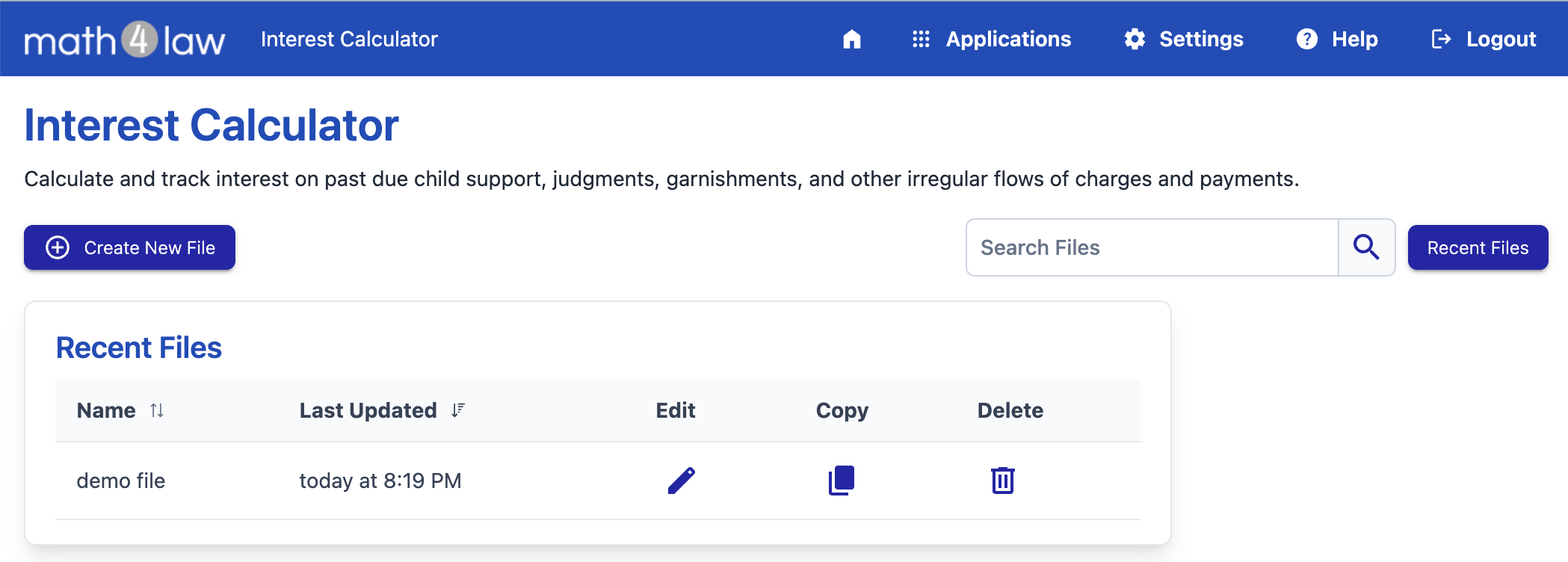
By default, the file list includes files that were recently updated. To view files that haven't been updated recently, use the search option.
You can sort the list by file name or by the last updated date, by clicking a column header.
To create a file, press the Create New File button.
Use the search box to search for files. You can search by the file name and description.
File List Options
To edit an existing file, press the file row. The Edit button (the pencil icon) is provided for convenience and can be used as well.
To copy a file, press the Copy button on the file row. Enter a name for the new file and press Save. The new copy will be identical to the first file, but can be edited independently from the original.
Subscription-Only Feature
The Copy option is available with an active subscription.
To delete a file, press the Delete button on the file row. Read the warning message, and confirm if you wish to proceed.
If you delete a file by mistake, please contact support for help.
Free and Paid Files
You can create up to three free files without a subscription. Free files are limited to five transactions, and are provided so you can experiment with the application and see if it fits your needs.
You can pay for a file to remove the transaction limit. First, create a free file, then pay for the file to unlock it.
Without a subscription, the file list shows a Status column with the license state of each file (Free, Paid, or Expired) and a Buy File button. Expired files cannot be opened.